


.svg)






.svg)

Clozze Frequently Asked Questions
This FAQ article provides an overview of Clozze, how the platform works, and how real estate professionals use it to manage transactions, communication, tasks, and workflows. Clozze is designed to centralize the operational side of real estate, helping agents, brokers, and transaction coordinators stay organized from contract to close.
The questions below cover how Clozze functions as a transaction management platform, how communication and AI features work, what integrations are supported, and how teams collaborate inside a shared workspace. Whether you are evaluating Clozze or getting started, this section is intended to answer the most common questions clearly and directly.
What is Clozze?
Clozze is a real estate transaction management platform built to help agents, brokers, and transaction coordinators manage deals after a contract is signed. The platform centralizes buyers, listings, tasks, documents, deadlines, and communication into one shared workspace. By bringing operational workflows together, Clozze reduces manual follow-ups, missed deadlines, and scattered communication. It is designed for real estate professionals managing multiple active transactions at once.
Is Clozze a CRM?
Clozze includes CRM-style functionality, but it is primarily focused on transaction management rather than lead generation. Unlike traditional CRMs that focus on nurturing prospects, Clozze is designed to manage clients, communication, and workflows once a deal is under contract. It allows users to manage contacts, buyers, listings, and ongoing communication in the context of active transactions. This makes Clozze a transaction-centric CRM rather than a sales-first CRM.
Who can use Clozze?
Clozze is built for real estate agents, brokers, transaction coordinators, and real estate teams. It can be used by solo agents managing their own transactions or by teams and brokerages coordinating multiple users and deals. The platform supports professionals across the United States and is designed to adapt to different transaction volumes and workflows. Anyone responsible for managing real estate transactions and communication can use Clozze effectively.
What integrations does Clozze support?
Clozze supports integrations that help real estate professionals centralize communication, automate workflows, and reduce manual data entry across the tools they already use. Current integrations include Google email, Google Calendar, Apple Calendar, Dotloop, Follow Up Boss, and DocuSign, with SMS add-ons coming soon.
Google Email (Gmail) allows Clozze to pull email conversations into the Communication Hub so messages can be reviewed, prioritized, and responded to using AI Assist or manual replies.
Google Calendar and Apple Calendar integrations sync tasks and deadlines, allowing real estate professionals to view transaction-related events alongside their existing schedules.
Dotloop connects transaction documents and workflows so deal information stays aligned across platforms.
Follow Up Boss helps connect existing CRM data with transaction workflows inside Clozze.
DocuSign supports document execution as part of the transaction process.
SMS integrations are coming soon to allow text messaging to flow directly into the Communication Hub alongside email.
Integrations in Clozze are optional and designed to work alongside existing tools, giving teams flexibility while keeping transaction operations centralized.
How does texting communication work with Clozze?
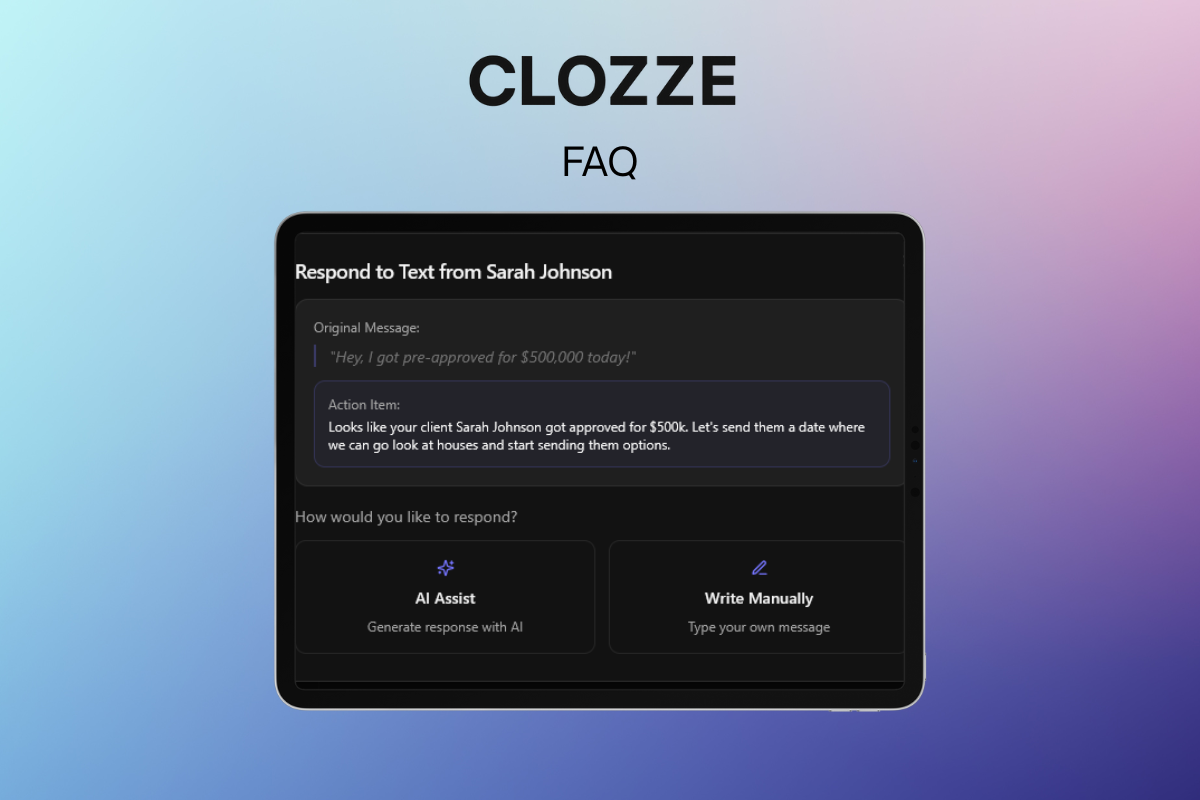
Text messaging in Clozze is available through a texting add-on that connects your preferred texting provider to the Communication Hub. Once enabled, incoming texts are centralized alongside email in one shared workspace and tied directly to the related transaction or client. Clozze’s AI surfaces messages that need a response so nothing slips through as deal volume grows. Users can reply manually or use AI Assist to draft responses directly from the Communication Hub, keeping all communication in one place without juggling tools.
How does email communication work with Clozze?
When email is connected, Clozze pulls messages from your preferred email inbox into the Communication Hub. Emails are analyzed by AI to surface conversations that require attention or follow-up. From the Communication Hub, users can respond using AI Assist or write replies themselves. This allows real estate professionals to manage email and text communication together without switching between inboxes.
What is AI Assist?
AI Assist is Clozze’s AI-powered response tool that helps draft messages for text and email communication. Before using AI Assist, users can train the AI by answering a series of questions about their tone and communication style. This ensures responses sound natural and consistent with how the user normally communicates. AI Assist is optional and designed to support productivity, not replace human control.
How does transaction management work with Clozze?
Transaction management in Clozze centers around organizing buyers, listings, tasks, documents, and deadlines after a contract is signed. Each transaction has a clear structure so users can see what needs to be done and when. Tasks and milestones help keep deals on track while reducing missed steps. This makes it easier to manage multiple transactions simultaneously with visibility into progress and responsibilities.
How does real estate CRM work with Clozze?
Clozze’s CRM functionality focuses on managing contacts within active transactions rather than lead pipelines. Contacts can be associated with buyers, listings, and ongoing communication. This allows users to view conversations, tasks, and documents in one place tied to each transaction. The CRM features are designed to support transaction workflows instead of marketing automation.
How does task management work with Clozze?
Task management in Clozze allows users to create, assign, and track tasks tied to transactions, buyers, or listings. Tasks can include due dates and optional calendar syncing for better visibility. This helps ensure important steps are completed on time and nothing falls through the cracks. Task management is designed specifically for real estate transaction workflows.
How many users can use Clozze on a shared dashboard?
Clozze supports shared dashboards so multiple users can collaborate within the same workspace. Account owners can add multiple team members to their account for $9.99 per seat, making it easy to scale access as teams grow. Each added user can collaborate on transactions, view shared tasks, and participate in communication workflows based on their role.
This setup works well for real estate teams, brokerages, and transaction coordinators who need visibility across deals without duplicating accounts. Shared dashboards help ensure everyone stays aligned on tasks, communication, and transaction progress in one centralized workspace.
Can I switch team members from their seats?
Yes, Clozze allows teams to manage and update team member access. If roles change, you can remove one team member and invite another to take their place. This flexibility helps teams adapt as staffing needs evolve. Access updates ensure the right people have visibility into the right transactions.
How do contacts work with Clozze?
Contacts in Clozze are designed to stay connected to the full transaction, not just a single buyer or listing. Uploaded contacts can be associated with buyers, listings, and transactions, including not only the primary parties but also preferred lenders, title representatives, attorneys, inspectors, and other individuals involved in the deal.
This allows real estate professionals to keep track of everyone connected to a transaction in one place. By linking all related contacts to the same workflow, Clozze helps ensure communication, documents, and tasks stay aligned with the correct people throughout the transaction lifecycle.
How do integrations work with Clozze?
Integrations in Clozze connect external tools to your workspace so information flows automatically. Once connected, integrations can pull in communication, sync calendar events, or support transaction workflows. This reduces manual data entry and keeps information centralized. Integrations are optional and designed to work alongside existing tools.
How does the calendar work in Clozze?
The calendar in Clozze includes a built-in Clozze calendar where tasks and events can be viewed in one centralized place. Tasks can live entirely within Clozze without being tied to a calendar event, allowing users to manage to-dos separately when scheduling is not required. This gives real estate professionals flexibility in how they organize daily work versus time-based events.
For tasks and events that do need scheduling, Clozze allows them to be added to the calendar and synced with external calendars. Tasks that are added to the Clozze calendar can sync to Google Calendar and Apple Calendar, making it easy to see transaction-related deadlines and events alongside personal and professional schedules. This is especially helpful for agents who need their real estate tasks and events reflected in their primary calendar, not just in a task or to-do list.
By combining an internal calendar with external calendar syncing, Clozze helps real estate professionals keep transaction timelines visible, reduce missed deadlines, and manage schedules more effectively across multiple transactions.
How does the AI document reader work in Clozze?
The AI document reader in Clozze is designed to analyze transaction-related documents and extract key information automatically. When a document is uploaded, the AI reads the contents and identifies relevant details such as parties involved, property information, and transaction context. This helps reduce manual data entry and speeds up transaction setup.
If a document is signed, the AI document reader can trigger the transaction workflow and create the related tasks tied to the appropriate buyer or listing card. In addition, the AI can use information from the document to create buyer or listing profiles automatically, ensuring transaction data is structured correctly from the start. This allows real estate professionals to move from document upload to active transaction management with minimal manual steps.
Can Clozze be used alone?
Yes, Clozze can be used as a standalone platform without connecting external tools. Users can manage transactions, tasks, communication, and contacts entirely within Clozze. Integrations are optional and available for teams that want deeper connectivity with existing systems. This flexibility allows Clozze to adapt to different workflows and team preferences.
Still have questions about Clozze?
Clozze is built to help real estate professionals centralize transaction management, communication, tasks, and documents in one platform. Whether you are managing a single transaction or coordinating multiple deals across a team, Clozze is designed to adapt to your workflow and reduce operational friction after a contract is signed.
This FAQ section is intended to answer the most common questions about how Clozze works, what it supports, and how it fits into real estate transaction workflows across the United States. As the platform continues to evolve, additional features, integrations, and automation tools will be added to support growing teams and changing needs.
If you are exploring transaction management software for real estate agents, brokers, or transaction coordinators, Clozze provides a flexible foundation that can be used on its own or connected with the tools you already rely on. For more detailed walkthroughs, tutorials, and setup guides, visit the Getting Started section or explore the Clozze Help Center.
